Import from LinkedIn
How to bring your positions, education, skills, and other professional history from LinkedIn into Sifa using LinkedIn's data export.
LinkedIn lets you download your whole profile as a ZIP. Sifa ID's importer reads that ZIP and turns it into AT Protocol records on your own PDS. The same data becomes portable, any app can read it, and it survives a future move away from Sifa or LinkedIn.
The import runs entirely in your browser. Sifa's servers never see the LinkedIn ZIP.
Before you start
You need:
- A Sifa account (sign in first if you have not).
- A LinkedIn account in the name of the profile you want to import.
And a few minutes of patience. LinkedIn does not hand you the ZIP instantly. It emails you a link, usually within 10 minutes, sometimes longer.
Step 1: request your data archive from LinkedIn
- Open LinkedIn's "Download my data" page.
- Select Download larger data archive (the first option).
- Click Request archive.
- LinkedIn emails you when the archive is ready. Subject line: "Your LinkedIn data archive is ready to download".
- Follow the link, sign in, download the ZIP. Do not unzip it. Sifa wants the ZIP as-is.
LinkedIn splits exports into batches. Batch 1 is the one Sifa needs, usually within 10 minutes. Later batches contain ads data and similar things Sifa does not use.
Step 2: upload the ZIP to Sifa
- Go to sifa.id/import.
- Drag the ZIP onto the upload area. You can also click the area and pick the file.
- Your browser extracts the ZIP. At this stage nothing reaches the Sifa servers.
If the page rejects the file, jump to troubleshooting.
Step 3: review what the import covers
Sifa parses the archive. It then shows a review screen with everything it found. Check the list first:
- Positions (current and past jobs). Title, organization, dates, description.
- Education. Schools, degrees, fields of study, dates.
- Skills. Each one becomes a separate record.
- Certifications. Issuer, date, expiration.
- Projects, publications, volunteering, honours, languages, courses. Sifa imports every item that LinkedIn lets you list.
Anything you do not want public, deselect now.
Every item you import becomes public. LinkedIn hides some fields from a logged-out visitor. A Sifa profile hides nothing. Logged-out humans, search engines and AI agents all see what you see. There is no half-public mode.
That is on purpose. A portable professional profile only works if anyone can link to it. If you want to keep something private, leave it off.
Step 4: import
Click Import. Sifa writes one AT Protocol record per item to your PDS:
id.sifa.profile.positionfor each jobid.sifa.profile.educationfor each schoolid.sifa.profile.skillfor each skill- …and so on for the rest.
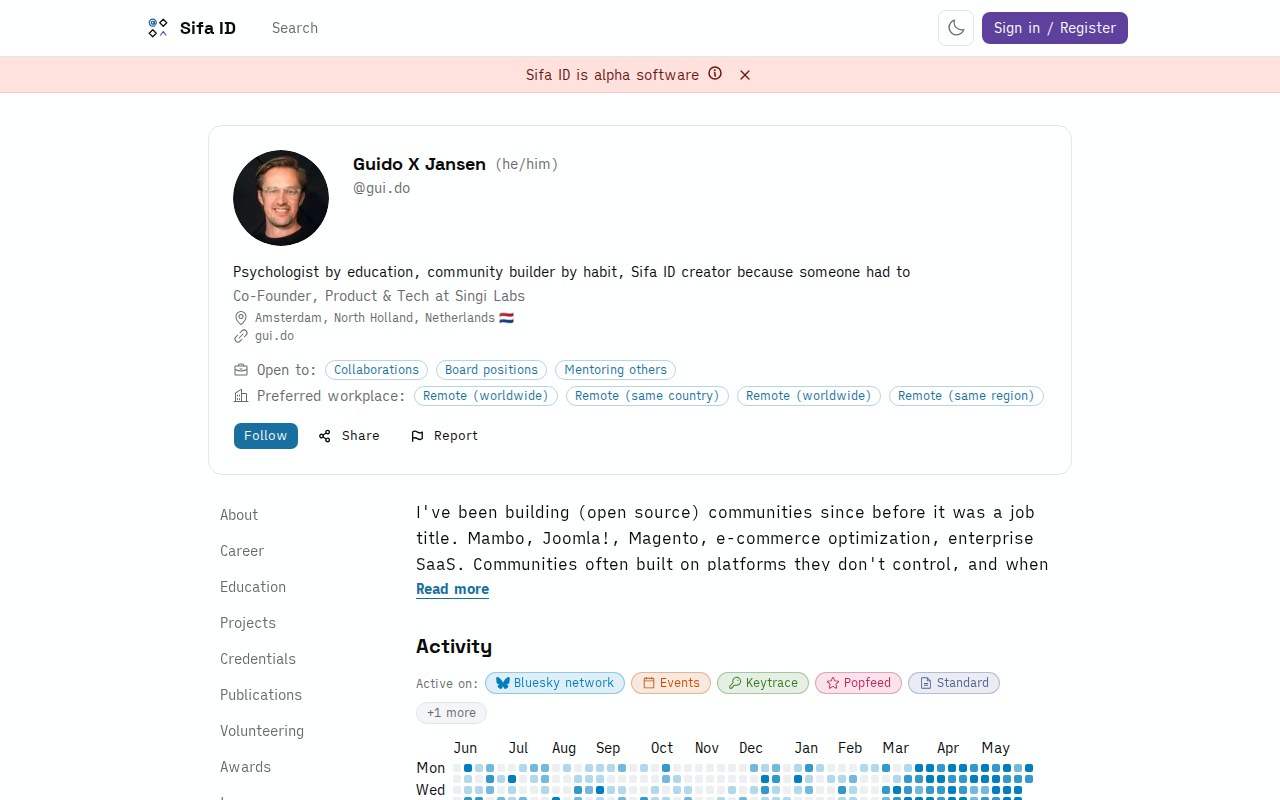
The records live on your PDS, not on Sifa's servers. Sifa reads from your PDS to render your profile. Sign in to a different Atmosphere app tomorrow and the same records are visible there too.
You can edit, delete, or re-order anything from the Sifa profile editor afterwards. Imported positions and schools arrive as plain text. Reopen each one and link it to the real organization. The entry then points at a shared page.
Troubleshooting
"This does not look like a LinkedIn export."
You probably picked Fast file (only your profile) instead of Download larger data archive. Sifa needs the larger archive because it contains the structured CSVs. Request it again and wait for the email.
"The ZIP is too big."
A LinkedIn export grows large after years on the platform. The browser-side extractor in Sifa handles a few hundred MB. For a bigger file, open it on your own machine. Take the Profile.csv, Positions.csv, Education.csv and similar files from the root. Zip those files on their own, then upload the smaller ZIP.
"Some of my positions have no dates."
LinkedIn sometimes omits end dates for current roles. Sifa reads a missing end date as "still current", which is what you want for an active job. For a past role with no dates, fix the dates on LinkedIn and export again. You can also edit them on Sifa after the import.
"My LinkedIn name does not match my AT Protocol username."
Fine. Sifa does not match identities by name. It writes everything to the PDS of your current session. You can be myusername.bsky.social on Sifa and any name on LinkedIn. They do not need to agree.
What Sifa does not import
- Connections and the followers list. Your Sifa graph stands apart, and it lives on your PDS as standard AT Protocol follow records.
- Messages (DMs).
- Recommendations that other people wrote. Use endorsements after your profile goes up.
- Likes, comments, and other engagement signals. Sifa is a record of work, not an engagement feed.
Privacy summary
- Your browser extracts the LinkedIn ZIP. The Sifa servers never see the ZIP, its contents, or a field that you leave out.
- When you click Import, Sifa writes your selected records to your PDS with the authenticated AT Protocol APIs. The Sifa AppView reads them back and renders your profile.
- Delete Sifa later, and the imported records stay on your PDS until you delete them as well. Any other Atmosphere app can read them.
- Sifa leaves LinkedIn alone. Sifa never signs in to LinkedIn and never scrapes it. The import runs one way, from the ZIP that you supplied.