
Use your own domain as your handle
Replace `alice.bsky.social` with `alice.com`. Your own domain becomes your Atmosphere identity. Setup happens on your provider (or via DNS), not on Sifa.
Your Atmosphere handle defaults to ending in your provider's domain: alice.bsky.social on Bluesky, alice.eurosky.social on Eurosky. You can swap that for your own domain (alice.com, me.example.org) so your professional identity isn't tied to a provider's name.
The setup happens at the AT Protocol level, on your provider. Sifa ID doesn't run a whitelabel handle service. What Sifa gives you is the profile that uses whichever handle you've configured upstream.
Once your handle is set, your Sifa profile URL becomes https://sifa.id/p/alice.com automatically. No further configuration on Sifa.
What you need before you start
- An Atmosphere account on any provider (Bluesky, Eurosky, etc).
- A domain you control.
- Either the ability to add DNS TXT records to that domain, or the ability to serve a single file at
https://<your-domain>/.well-known/atproto-did.
Control DNS but not .well-known/? Use the DNS method. Control .well-known/ (most hosting platforms) but not DNS? Use the file method. Either works.
Step 1: find your DID
Your DID is the permanent ID for your account. You need its value to point your domain at it.
In the Bluesky app: Settings → Account → Advanced → Decentralised Identity (DID). Copy the long string starting with did:plc:.
In Sifa: open your profile page and look in the settings panel.
From the command line:
curl -s "https://bsky.social/xrpc/com.atproto.identity.resolveHandle?handle=<your-current-handle>" | jq -r .didSwap bsky.social for your provider's hostname if you're not on Bluesky.
Step 2, option A: set a DNS TXT record
On your DNS provider (Cloudflare, Hetzner, Route 53, your registrar's panel, wherever you manage records for the domain):
- Type: TXT
- Name:
_atproto.<your-domain>. Foralice.com, that's literally_atproto.alice.com. Some DNS UIs ask for just_atprotoand append the domain automatically. Both forms are correct. - Value:
did=did:plc:<your-did-here> - TTL: 300 is fine.
Save. The record propagates in a few minutes.
Verify:
dig +short TXT _atproto.alice.com
# should return: "did=did:plc:abc123..."
Step 2, option B: serve a .well-known/atproto-did file
If you can't set DNS TXT records (some managed hosts block them), serve a plain-text file at:
https://<your-domain>/.well-known/atproto-didThe file is a single line: your DID. Nothing else.
did:plc:abc123def456...The response must be served with Content-Type: text/plain and respond over HTTPS. Most static hosts (GitHub Pages, Netlify, Cloudflare Pages, plain nginx) let you serve files at any path. Ghost Pro, some managed WordPress, and a handful of SaaS site builders block /.well-known/. In that case use the DNS method or move hosts.
Verify:
curl -s https://alice.com/.well-known/atproto-did
# should print: did:plc:abc123...
Step 3: update your handle on your provider
With DNS or well-known in place, tell your provider you want to change your handle.
On Bluesky: Settings → Account → Handle → I have my own domain. Enter alice.com. The Bluesky app runs the verification. If it finds your DNS record or fetches your well-known file, the handle is updated.
On Eurosky / Tangled / Blacksky: roughly the same flow under Settings or Account.
If verification fails, double-check the steps above. DNS sometimes takes a few minutes to propagate. If dig +short TXT _atproto.<domain> returns the right value but your provider says no, wait 5 minutes and retry.
Step 4: verify on Sifa
Sign out of Sifa and sign back in with your new handle. Your profile page is now https://sifa.id/p/alice.com.
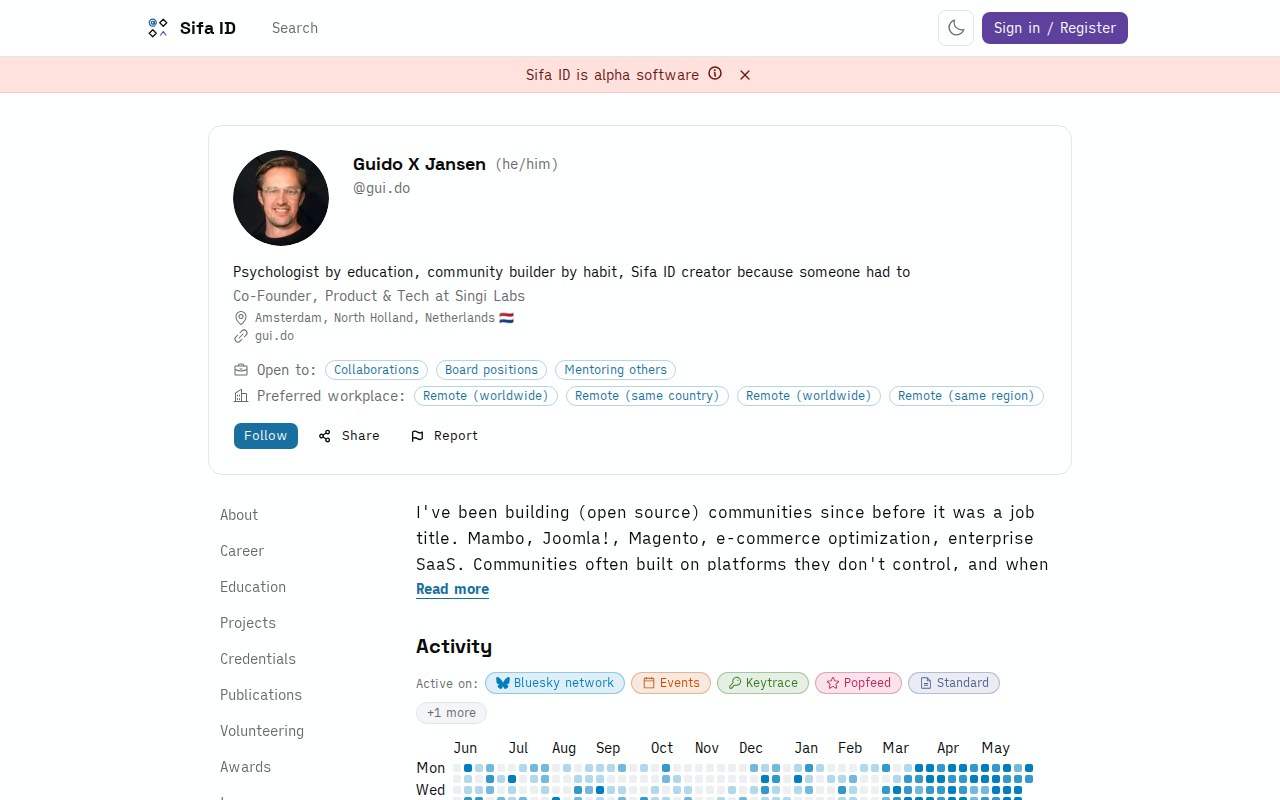
Old links pointing at https://sifa.id/p/alice.bsky.social still resolve. The AppView indexes by DID, not by handle, so any path that maps to your DID renders the same profile.
Why do this
- Independence from your provider. Move from Bluesky to Eurosky later, and your domain handle stays. People who linked to
alice.comdon't lose anything. - Personal-brand surface. A short, memorable handle that matches your website.
sifa.id/p/alice.comreads as your CV the wayalice.comreads as your blog. - One-time setup. DNS records and well-known files don't decay. Set once, runs for years.
Want to go deeper
- DIDs, handles, and providers: what each piece is for. The DID is what makes handle changes work without breaking anything.
- Move your account to another provider: handles paired with provider migration. You can keep your custom domain while switching where your data lives.
Import from LinkedIn
How to bring your positions, education, skills, and other professional history from LinkedIn into Sifa using LinkedIn's data export.
What is the Atmosphere?
The open network Sifa runs on. One account works across Sifa, Bluesky, and dozens of others. Move providers, keep your handle, keep your followers, keep your work.